Actions
User Story #584
openFeature #533: Authentication Hum Rahi
EPIC #578: Epic: E2.1 Photo Capture & Report Submission
User Story 5 (BE/FE): Geo-Location & Manual Pinning
Start date:
Due date:
% Done:
0%
Estimated time:
Description
User Story 5 (BE/FE): Geo-Location & Manual Pinning
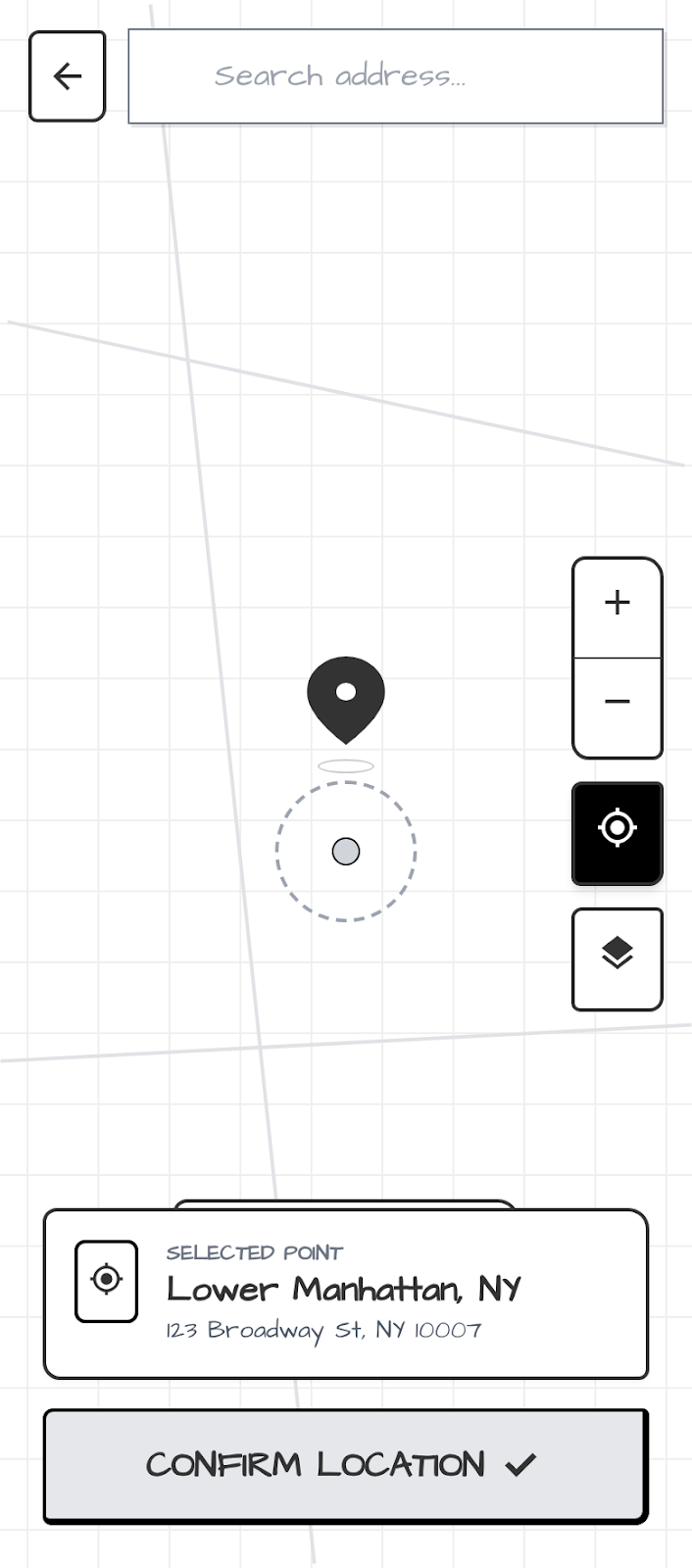
Story: As a Citizen, I want my location to be auto-captured and editable, so that the report is pinned to the exact spot where the incident occurred.
- In-Scope: GPS auto-fetch (lat/long), reverse geocoding (address display), manual map picker.
- Out-of-Scope: Offline map caching.
-
Acceptance Criteria (AC):
- App must fetch coordinates with <10m accuracy upon opening the report screen.
- Display human-readable address (e.g., "Connaught Place, New Delhi") as per wireframe.
- If GPS fails, user must be able to tap a "Pin" icon to manually select location on a map.
- Validation Rules: Latitude/Longitude must be within valid geographic ranges.
- Error Messages: "GPS signal weak. Please pin location manually."
- DoD: Integration with Map API verified, BE stores coordinates in GeoJSON format.
Files
Updated by Islam Mansoori 7 months ago
Updated by Hamdan Iftikhar 7 months ago
Islam Mansoori wrote:
User Story 5 (BE/FE): Geo-Location & Manual Pinning
Story: As a Citizen, I want my location to be auto-captured and editable, so that the report is pinned to the exact spot where the incident occurred.
- In-Scope: GPS auto-fetch (lat/long), reverse geocoding (address display), manual map picker.
- Out-of-Scope: Offline map caching.
@Islam Mansoori bhai
For this one as well, for the MVP, can we remove manual selection for the location pin. If gps is not working, we can just say for now that there is some error and not allow the user to proceed.
- Acceptance Criteria (AC):
- App must fetch coordinates with <10m accuracy upon opening the report screen.
- Display human-readable address (e.g., "Connaught Place, New Delhi") as per wireframe.
- If GPS fails, user must be able to tap a "Pin" icon to manually select location on a map.
- Validation Rules: Latitude/Longitude must be within valid geographic ranges.
- Error Messages: "GPS signal weak. Please pin location manually."
- DoD: Integration with Map API verified, BE stores coordinates in GeoJSON format.
Actions